AI for Accountants and Finance Professionals
About Course
AI for Accountants 2026
Stop just asking AI questions. Start using it to do real accounting work.
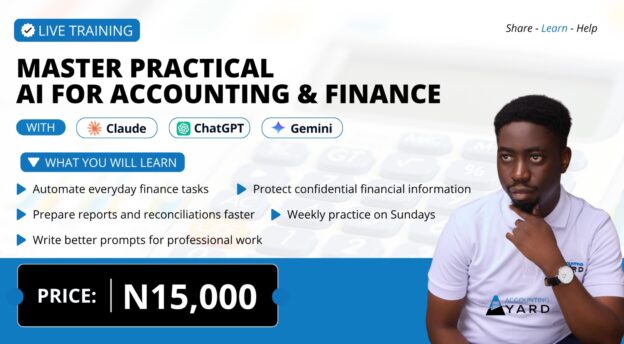
A practical course that shows accountants and finance professionals how to use ChatGPT and Claude safely and productively: analysing bank statements, building a chart of accounts, preparing a full management accounts pack and board deck, and creating reusable AI skills for your own accounting tasks.
What you will be able to do
✓Write prompts that get reliable results, from simple prompts to an advanced framework for complex accounting scenarios.
✓Protect client and company data: set up privacy controls, turn off model training and anonymise sensitive financial information.
✓Analyse bank statements with AI to reconstruct incomplete records, and compare results between Claude and ChatGPT.
✓Build a chart of accounts and full management accounts from a trial balance with AI skills: mapping, notes, income statement, financial position and cash flow.
✓Produce a board-ready pack: cover page, contents, dashboard, print-ready PDF and a board presentation.
✓Create your own reusable AI skills for accounting tasks, such as a fixed asset register, and work smarter with Claude Desktop, Cowork and the Excel add-ins.
Your learning journey
1Getting Started with AI (Modules 1–2)
How AI tools work, prompting basics, NotebookLM and setting up your Claude account.
2Data Privacy and the Claude Toolkit (Module 3)
Privacy settings, anonymisation, Projects, Artifacts, Skills and Connectors.
3Prompting for Real Accounting Work (Modules 4–5)
Advanced prompting, bank statement analysis, turning prompts into skills, and automating the chart of accounts.
4Management Accounts with AI (Modules 6–7)
A step-by-step management accounts case study, the Claude Excel add-in, the final PDF pack and a board deck.
5Build Your Own Skills and Work Smarter (Modules 8–9)
Designing and testing your own skills, then Claude Desktop and Cowork in practice.
6Final Assessment and Certification (Module 10)
Three graded assessments: fixed asset register and prepayments, inventory valuation, and a board management accounts pack.
What you get
89 video lessons recorded from live classes, with demos and real participant questions answered
Participant casebook and practice workbook, plus case study data: bank statements, trial balances, payroll, fixed assets and a full management accounts case
Real financial statements to practise on, including MTN Nigeria annual financial statements
Ready-to-use AI skills and prompt guides, including the management accounts skill and master prompts
9 module quizzes and 3 graded assessments, submitted and marked on the LMS
A certificate when you complete the lessons, pass every quiz and pass the assessments
Who this course is for
Before you start: no coding or prior AI experience is needed. You will need a laptop and a ChatGPT or Claude account; the course shows you how to set them up.
Try it before you buy
Watch the free preview lessons in Module 1, then enrol and start putting AI to work on your own accounting tasks.
Course Content
Module 1: Introduction to AI for Accountants
-
11:41
-
11:13
-
17:38
-
09:30
-
1.5 How AI Tools Work and How to Use Them Effectively
30:42 -
1.6 Q&A: Skills, Connectors and Connecting Email to Claude
27:34 -
Module 1 Quiz: AI Fundamentals
Module 2: Prompting Basics and Setting Up Your AI Tools
Module 3: Data Privacy, Governance and the Claude Toolkit
Module 4: Advanced Prompting for Bank Statement Analysis and Skill Creation
Module 5: Automating the Chart of Accounts with AI Skills
Module 6: Preparing Management Accounts with an AI Skill
Module 7: Finalising and Presenting the Management Accounts Pack
Module 8: How to Build Your Own AI Skills for Accounting Tasks
Module 9: Working Smarter with Claude Desktop and Cowork
Module 10: Final Assessment and Certification
Student Ratings & Reviews